Waiting Room TV and Digital Signage for Clinics
Replace USB sticks and outdated posters with waiting room screens you update from one dashboard. Clinicast was born in healthcare and is built for medical clinics, dental offices, physiotherapy, pharmacies and other care settings.
Keep patients informed while they wait
Waiting rooms often rely on printed posters, an old TV or a USB stick that nobody wants to update. Clinicast lets your front desk change what's on every screen from a browser in seconds.
Post clinic hours, holiday closures, new services, vaccination campaigns and health education once, and they appear on your waiting room TV and reception display automatically.
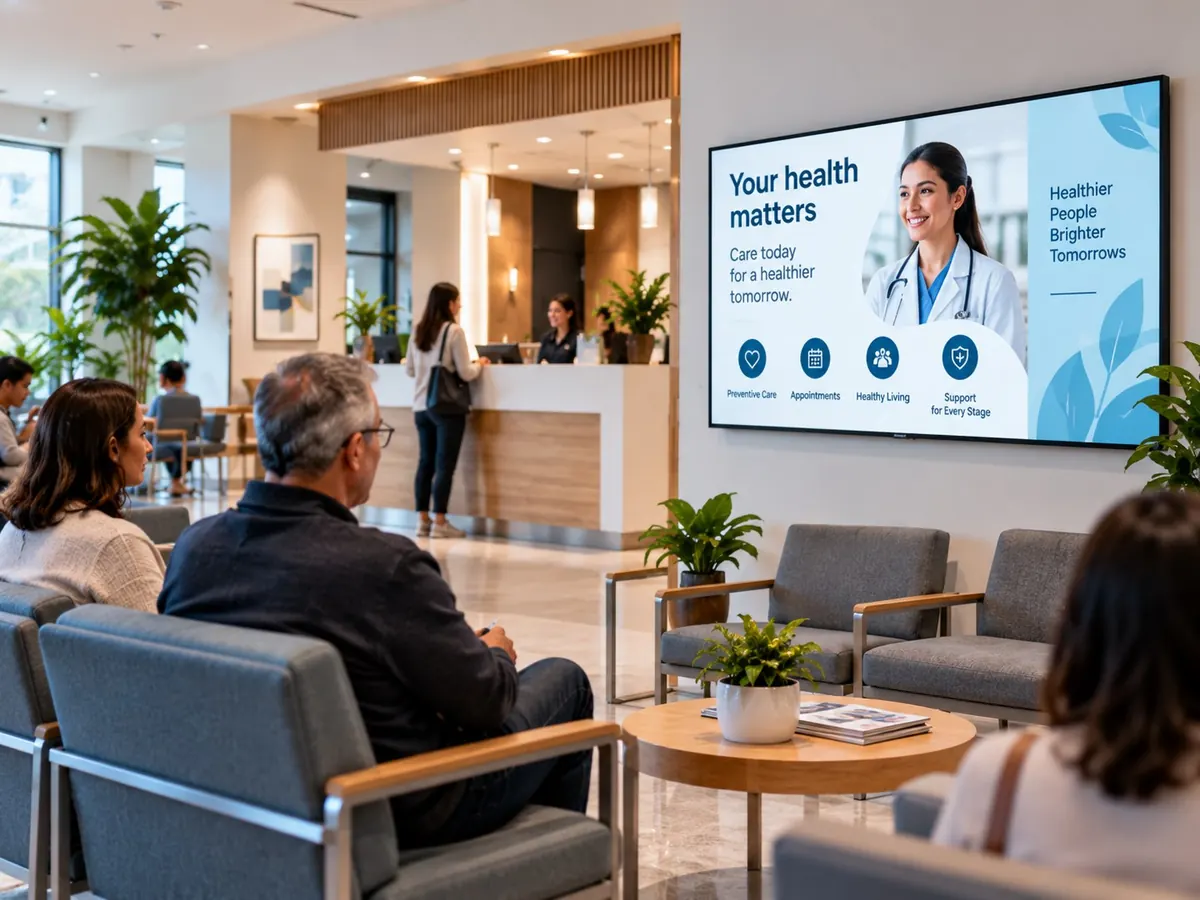
What clinics show on their screens
Hours and closures
Clinic hours, holiday hours and early closures.
Vaccination campaigns
Flu and seasonal vaccination notices.
Health education
Seasonal health tips and prevention messages.
Services and team
New services, practitioners and specialties.
Check-in reminders
Front-desk reminders and operational notices.
Weather
Live local weather with forecast and air quality.
Built for busy front desks
Ready-made healthcare slides
Welcomes, hours, reminders and announcements, filled in with your clinic's name and colours. No AI credits used.
Design slides in plain words
Describe the screen you need and Clinicast Studio designs it. Studio asks staff to confirm each request is safe to send before it creates anything.
Urgent notices
Publish priority and emergency messages, such as closing early or a changed entrance, when plans change.
Scrolling tickers
Run a short message along the bottom of the screen without covering your content.
Campaigns that end on time
Schedule flu-season or holiday content with end dates. Scheduled content stops on time, even offline.
Keeps playing offline
Each Player stores its content on its own drive, so an internet outage won't leave your waiting room with a blank screen.
No cables to run
Join Wi-Fi by scanning a QR code on the screen with your phone, or use a network cable.
Privacy-minded by design
Two-step sign-in for admins, support sessions you approve, and the Clinicast database and files hosted in Canada.
Untagged features are in every plan. See all features
Signage is for announcements, not patient records
Clinicast is for public messages such as hours, services and health education. It doesn't connect to your clinic's records, and patient information doesn't belong on a waiting room screen.
Set up a waiting room screen in four steps
- 1
Choose your hardware
Use compatible hardware you already have (BYOD), or let us supply a Clinicast Player that arrives set up for your organization (Managed Player).
- 2
Plug it in
Connect the Player to your TV with HDMI, then plug in a network cable or join Wi-Fi by scanning the QR code on screen with your phone. No keyboard needed.
- 3
Approve it
The Player appears in your dashboard. An admin approves it and chooses which Screen it powers.
- 4
Publish
Add images, videos and slides to a playlist. The screen updates on its own, and keeps playing your latest content even if the internet drops.
Frequently asked questions
What kinds of practices use Clinicast?
Clinicast is built for healthcare settings such as family and walk-in clinics, dental offices, physiotherapy and chiropractic clinics, and pharmacies. It also works for any other business with screens.
Can we use the TV already in our waiting room?
Yes. The Clinicast Player connects to your existing TV with HDMI. You can supply compatible Player hardware yourself or have Clinicast supply a Managed Player that arrives set up.
Who updates the screens?
Anyone you give access to, usually the front desk or office manager. Clinicast works in a browser, and changes reach the screen on their own. Pro adds roles such as Content Manager and Viewer.
Do we need a designer?
No. Pro includes ready-made healthcare slides you fill in with your clinic's name and colours, and Clinicast Studio can design new slides from a plain-language description.
What happens if our internet goes down?
The screen keeps playing your latest content from the Player's own drive, and picks up any changes when the connection returns.
See Clinicast on Your Waiting Room Screen.
Book a demo and we'll show you how your front desk can update every screen in seconds.